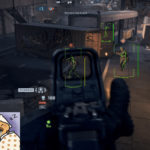
See Enemies Clearly • Stay Undetected • Play Legit • Perfect ESP Optimization for Battlefield 6
ESP is one of the strongest cheat modules in Battlefield 6 — but it’s also the easiest to misuse.
If your ESP is too bright, too cluttered, or looks unnatural, you risk:
- Spectator suspicion
- Player reports
- Server-side behavior flags
- Shadow bans
- Full EAAC hardware bans
This guide shows you the Best BF6 Settings for ESP Visibility — the exact visibility and filtering settings used by experienced BF6 cheaters to stay undetected for hundreds of hours.
These settings keep ESP clean, readable, subtle, and 100% safe.
⭐ 1. Use Visibility-Based Colors (Mandatory for Safety)
BF6 anti-cheat monitors your reaction timing.
Visibility-based coloring prevents you from overreacting to enemies behind walls.
✔ Best Setting:
- Green = Not visible
- Red = Visible / Exposed
Why it matters:
- You only snap aim when enemies are actually exposed
- You avoid suspicious tracking through walls
- Your killcam looks legit
- Your awareness looks human, not robotic
This is the #1 ESP safety feature.
⭐ 2. Use Distance Filtering (Avoid Screen Clutter)
Showing every enemy on the map is suspicious and overwhelming.
✔ Best Distance Filter:
- On-foot enemies: 10–150m
- Snipers: up to 180m
- Vehicles: up to 300m
Why:
- Looks natural
- Keeps ESP from being cluttered
- Prevents pre-aiming enemies from too far away
- Matches typical human sight ranges in BF6’s large maps
Never set distance to “unlimited” — that’s a detection risk.
⭐ 3. Use Clean, Minimal ESP Boxes (No Glow, No Chams)
Over-the-top visuals get players reported instantly.
✔ Use:
- Thin 1px boxes
- Subtle outlines
- No rainbow colors
- No full-body chams
- No “glow” shaders
Minimal ESP is harder to see on screenshots and streams, and looks more professional.
⭐ 4. Enable Line-of-Sight Visibility Checks (Legit Mode)
Visibility checks ensure ESP only behaves when enemies are actually visible.
✔ Settings:
- Visibility Check: ON
- Occlusion Check: ON
- LOS Distance Adjusted: Medium
Why it’s critical:
This prevents highlighting enemies who are fully behind walls — a dead giveaway for ESP.
⭐ 5. Keep Name ESP Small and Simple
Showing enemy names is fine, but should be subtle.
✔ Recommended:
- Font size: Small
- Color: Match box color
- Show names only for visible enemies
Avoid:
- Giant name tags
- Colored role icons
- Long-distance name ESP
It looks too unnatural in spectator mode.
⭐ 6. Use Subtle Health Bars
Health bars are useful, especially in squad pushes and close-quarters fights.
✔ Best Settings:
- Thin horizontal bars
- Only show when enemies are visible
- Keep opacity around 60–70%
Avoid high-saturation colors.
⭐ 7. Skeleton ESP – SAFE Mode Only
Skeleton ESP is extremely useful for tracking movement direction.
However, it must be configured safely.
✔ Use:
- Thin bone lines
- Visibility-only skeleton
- Distance limit: 80–120m
❌ Avoid:
- Thick neon bone lines
- Always-on skeletons across the map
- Full-color animated skeletons
Those get flagged fast or attract player reports.
⭐ 8. Snaplines – Use Bottom-Center Only (If at All)
Snaplines can be used safely IF they are subtle.
✔ Best Setting:
- Snapline origin: Bottom-center of screen
- Thin line
- Visible enemies only
❌ Avoid:
- Middle or top-screen snaplines
- Bright, thick lines
- Lines to non-visible enemies
Bad snapline settings = instant suspicion.
⭐ 9. Avoid Showing “Enemy Aim Direction” Unless You’re Legit
This feature is powerful but risky if misused.
Use ONLY if:
- You use Legit Aimbot
- You do NOT pre-aim through walls
- You set distance filtering properly
Otherwise it makes you react unnaturally fast.
⭐ 10. Turn OFF Loot, Ammo, or Item ESP Unless Needed
Item ESP is incredibly useful, but also a screen-clutter culprit.
✔ Recommended:
- Enable Item ESP only when looting or playing objective game modes
- Otherwise keep it OFF
Clean ESP = more legit behavior.
⭐ 11. Vehicle ESP – Use Large Distance But Minimal Visuals
Vehicles are meant to be seen from far away.
Just don’t overdo visuals.
✔ Settings:
- Distance: 300–400m
- Simple boxes
- No glowing outlines
- No huge labels
Vehicles should be obvious, not neon.
⭐ 12. ESP Opacity – The Most Underrated Safety Setting
Opacity determines how “cheaty” ESP looks to you and others.
✔ Best Range:
- 50–70% opacity
This reduces spectator suspicion AND helps you avoid information overload.
⭐ Official PrivateCheatz Recommended ESP Profile (2025)
Copy these exactly for maximum safety:
- Box ESP: Thin, visibility colors, 1px
- Skeleton: Visible-only, thin
- Names: Small font, visible-only
- Health bars: Thin, subtle
- Snaplines: Bottom center, visible-only
- Item ESP: Off unless needed
- Vehicle ESP: Simple boxes
- Distance Filter: 150m players, 180m snipers
- Opacity: 60–70%
- Visibility checks: ON
- Occlusion checks: ON
This profile passes spectator and behavior checks extremely well.
🏆 2025 Verdict: The Best BF6 Settings for ESP Visibility
The best ESP visibility settings are:
- Clean
- Subtle
- Legit-looking
- Efficient
- Behavior-safe
- Undetected
- Optimized for BF6’s massive maps
- Fully compatible with Aimbot + No Recoil
If you use these settings, your ESP will be both powerful and incredibly safe — perfect for long-term undetected Battlefield 6 cheating.