Watch this quick video guide to configure your PC settings and avoid common injection errors. Once completed, scroll down to follow the step-by-step installation instructions
Video Guide:
Initial Setup!
Required System Configuration
In Windows: - Ensure that the Discord overlay is enabled and your game is registered under the registered games section in Discord app settings. (If you don't have discord, you can use Medal TV overlay) - Disable BitLocker (Disk Encryption). - Ensure that Hyper-V is enabled.
In Bios: - Set your BIOS mode to UEFI (Legacy mode is not supported). - Disable Secure boot. - Disable Intel Platform Trust Technology (PTT), (for AMD called TPM). - Enable Intel Virtualization Technology (VT-X), (for AMD called SVM).
STEP 1
Download and Extract
Download the loader using the provided download link. Click on the Download menu option and choose Download as a ZIP file.
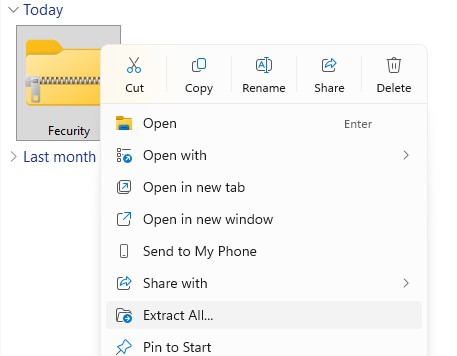
Locate the downloaded ZIP/WinRAR file, right-click it, and select "Extract All" to extract its contents into a new folder.
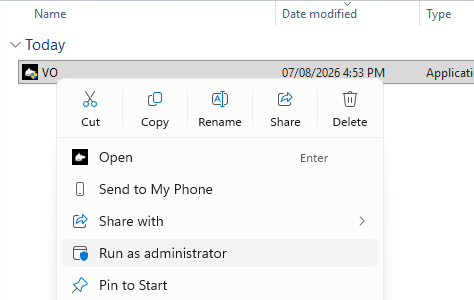
Open the new folder, locate the loader application, right-click it, and select Run as administrator.
⚠️ NOTE: The loader is single-use only and will automatically delete itself after the first execution. For future uses, you will need to extract it again.
STEP 2
System Compatibility Check
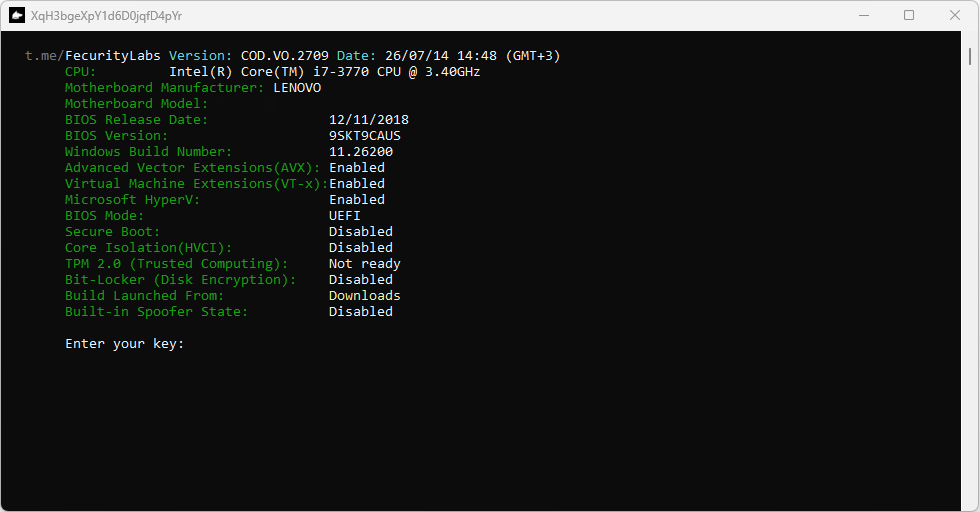
Once opened, the loader will display your system and hardware data along with the required specifications need to run the software.
If all system requirements are met, proceed to the next step.
⚠️IMPORTANT: Any unmet requirements may cause major problems. Only proceed to the next step if you are completely sure your system is configured correctly. if you are unsure how to check your specifications, you can send a screenshot of your loader system information and ask for assistance via live chat. (which can be found in the bottom right corner).
STEP 3
Product Activation
Type or paste your valid license key into the input field and press Enter to validate it.
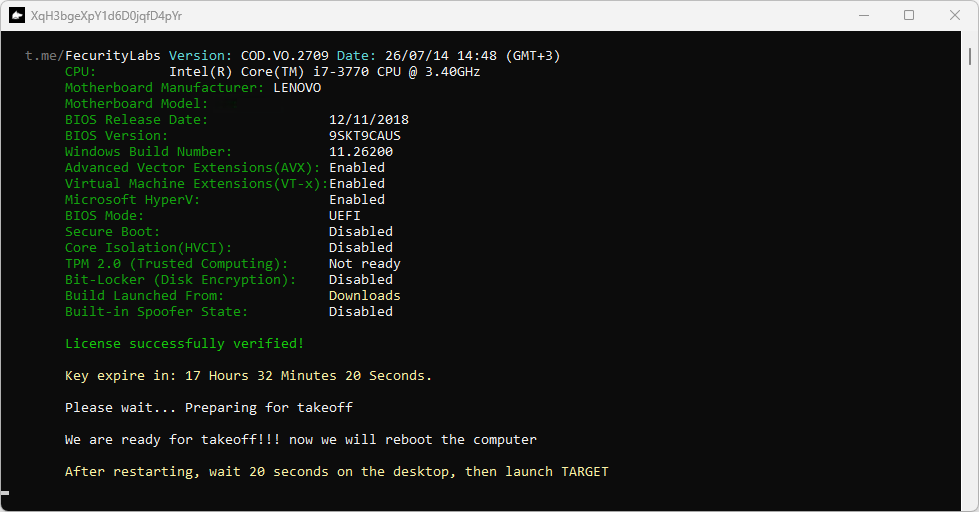
The application will display your key expiration time and begin preparing your system to reboot in order to inject the software.
STEP 4
Game Laucn & In-Game Menu
After your system restart and you return to the desktop, wait 20 seconds before launching your game.
Launch your game. While it is loading, the Discord overlay will appear in the top-left corner. Once you reach the main lobby, the menu will load
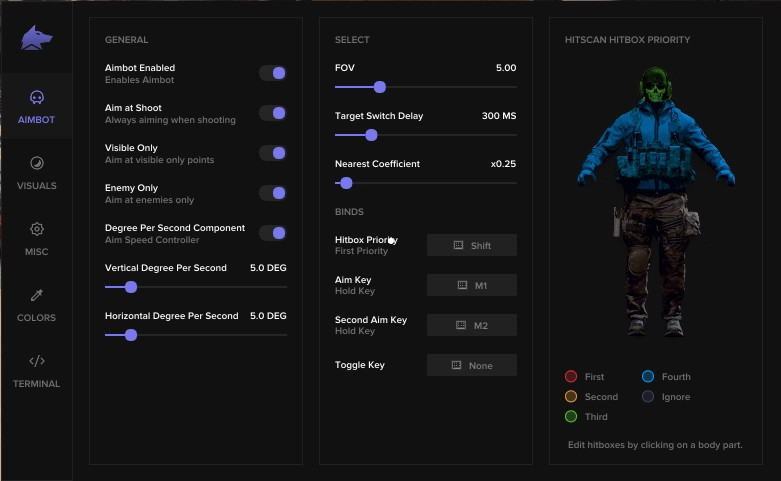
- Press the Delete key on your keyboard to show or hide the menu. - The game must be set to Windowed or Borderless mode.
Frequently Asked Questions
What are the requirements to use the cheat?
In order to use Fecurity cheats, Secureboot, TPM, and Fast boot must be disabled, and Virtualization must be enabled from the BIOS. For more info about the requirements, check "Initial Setup!" on the top of this page.
What game resolution should I use?
Please set your in-game display settings to Borderless mode and your screen resolution to 1920×1080 before proceeding.