🔥 Live: Prime Time Special 10% OFF
Code: PRIMETIME
Expires in: 59 : 00
Please make sure that your Antivirus (external or Windows Defender), as well as your Firewall, are all disabled before using the cheat.

Follow this video-guide to know HOW TO
Before
Using
- You have to disable secureboot from bios ( you can google / youtube it if you dont know how to).

- You have to disable Intel platform trust technology (PTT) from the bios ( for AMD called TPM).

- You have to enable Intel virtualization from the bios, (for AMD called SVM).

- You have to disable Hyper-V to make this spoofer works, type "turn windows features on or off" in 
   windows search bar then navigate to hyper-v , uncheck it and ok then restart your pc to apply the change.

- You must have windows updated to latest version, as well GPU drivers to latest version.
1
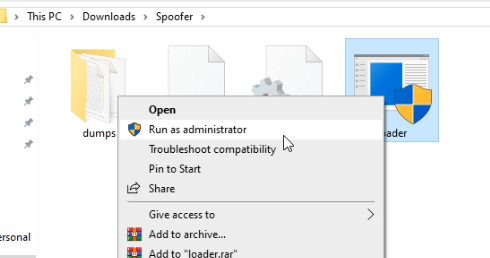
Download the loader, using the link provided, Run the loader as administrator.


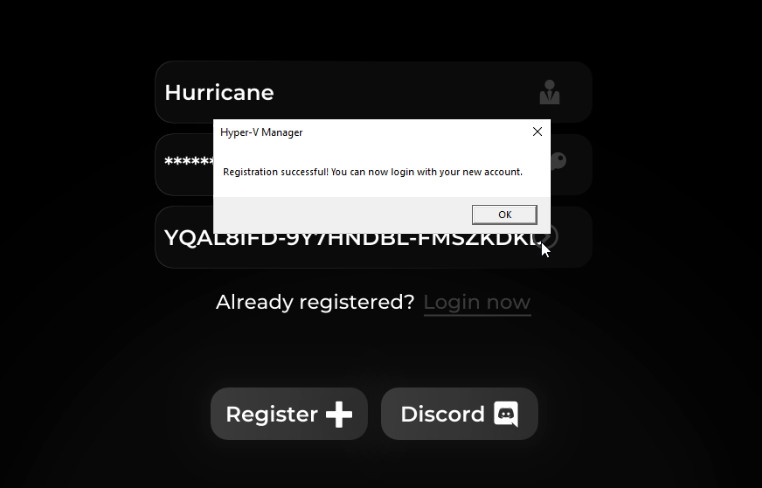
Click register( if it is your first time) fill up the username, password and key fields then click register.
After you click register, a little window will appear to confirm that you registration was successful.
2
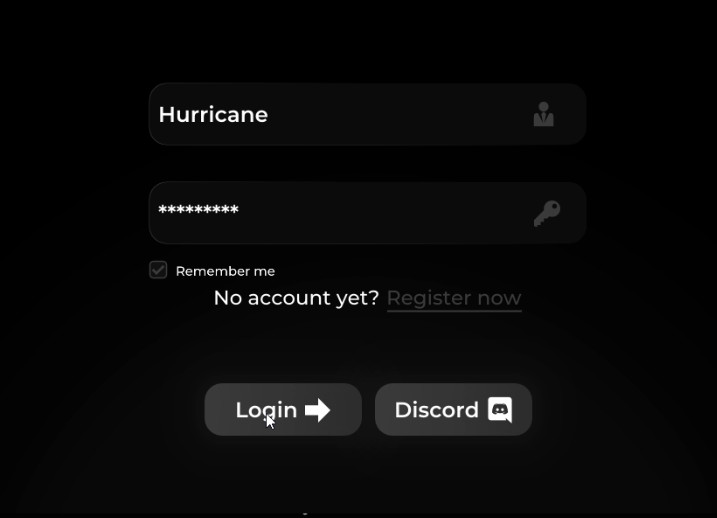
After finishing registration step , click on "login now", insert the information you just registered, the username and the password to log in.


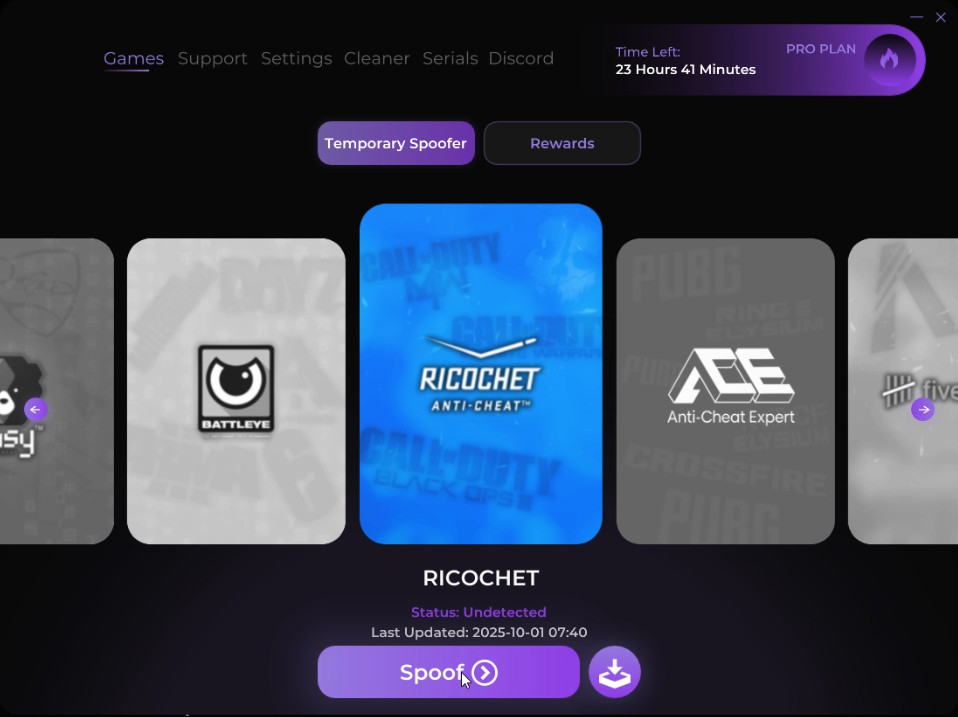
once you click login button you will be in, go to games and select which for which game / anti cheat you want to spoof, then click spoof 


3
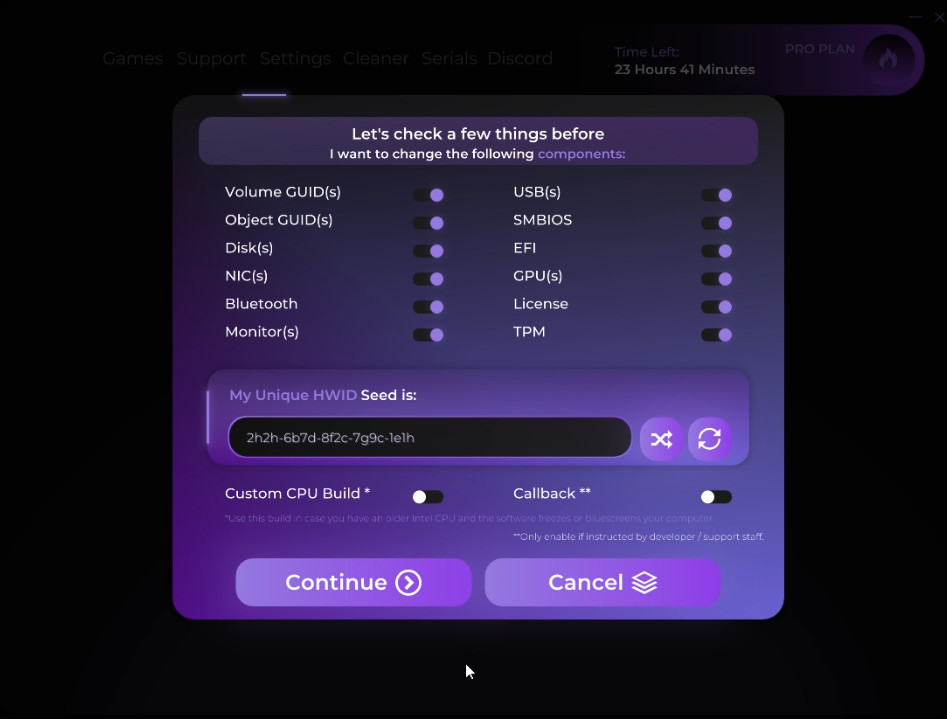
Once you press spoof button it will show you a list of components the tool is going to spoof you can turn on & off whatever you want , suggested to keep all on so you spoof for all , just leave the two options at the bottom off (custom CPU build & Call Back) . 

Only use these 2 options for the following reasong:
- Custom CPU build , if you have an old CPU, or you are facing bluescreens or PC freezes once you spoof for any Anti-cheat.
- Call back: dont turn it on until support team ask you to do so.
4
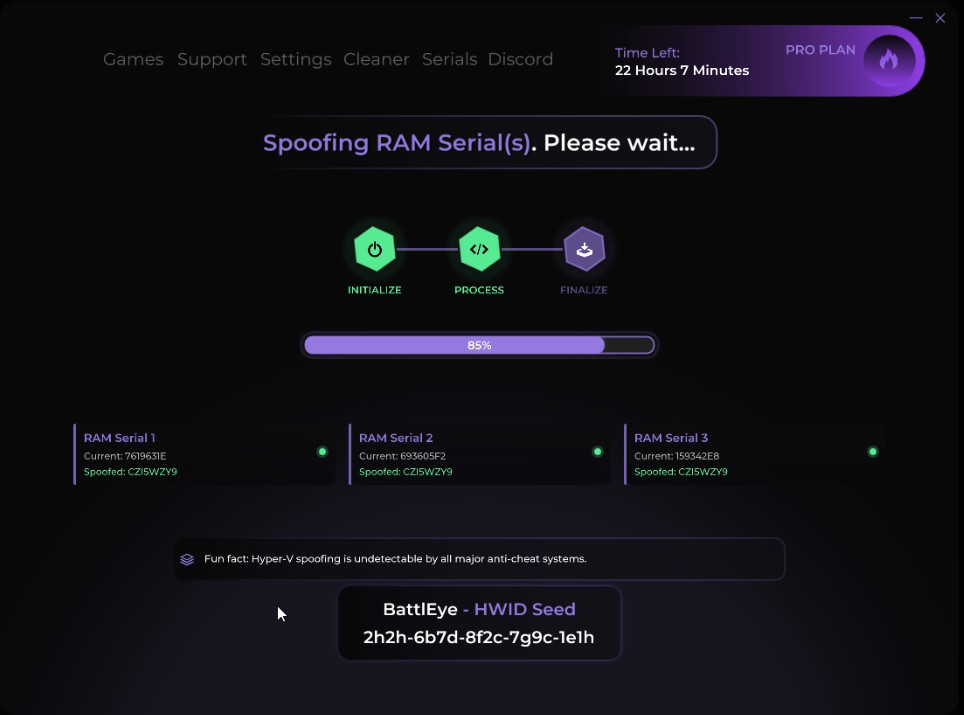
Once you select the component you want to spoof and press continue, spoofing processes will start , it will take 1 to 3 minutes.


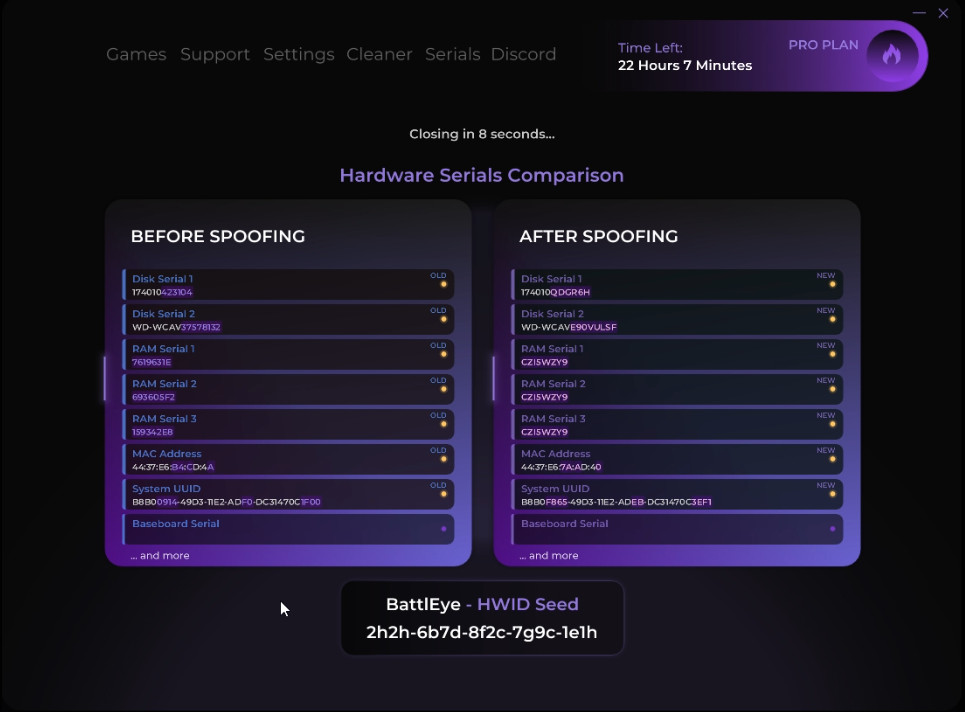
when finish spoofing it will show you your default Hardware ID , and the new one.
after finish spoofing the loader will close automatically in 10 seconds, once loader is closed you can open your game and play safely.

Frequently Asked Questions

How the hwid spoofer works?
In short terms, for easy understanding, spoofing is the process that we’re going to make use to change a variety of hardware identification serials. Each part of our hardware got a designated number upon Windows installation.
Why do I need a hwid spoofer?
Sometimes, a Game may Ban a part of our components, making it unable to use an account as before and, as the game will look over this same component number, this may incur into an immediate ban or in other cases not being able to join any game even when an account ban hasn’t taken place.
What is going to change after I use the hwid spoofer? and is it a permanent change?
A spoofer may only change some and not all designated hardware serials, they may be the motherboard or network adapters or HDD’s for example. The changes are not permanent, everything will be back to normal after you restart your PC. Make sure that the software you gonna use is designated for the current ban type of the game.
What security measures should I do before using the spoofer?
When using a spoofer make a windows recovery point and also make sure that you have saved your Wi-fi password (in case of using) as it may restart your network adapter.

Elite Undetected Access

Ready to Dominate?
100% Private Builds
Instant Delivery
24/7 Customer Support
chevron-down