Please make sure that your Antivirus (external or Windows Defender), as well as your Firewall, are all disabled before using the cheat.
Follow this video-guide to know HOW TO
!
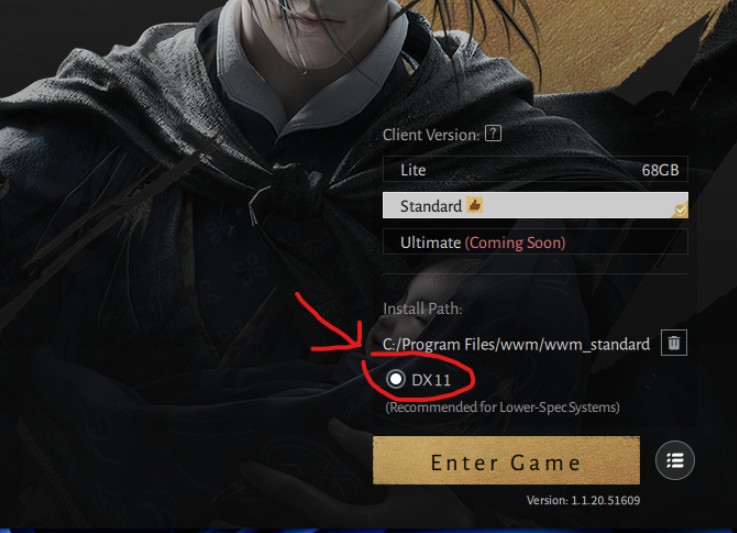
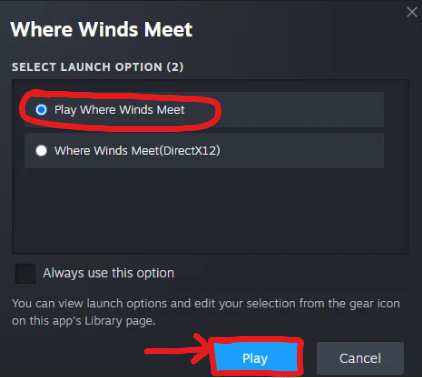
Use Fullscreen Windowed or Borderless Mode Switch your game to Fullscreen Windowed or Borderless before loading the menu. Use Steam Launcher. Run the game in DX11
1
First, Run Where Winds Meet via the STEAM LAUNCHER ONLY!
If you are using standalone client, please add the game to steam manually!
Verify the game is running in DX11!
2
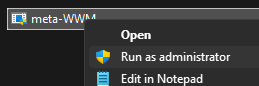
Once you open the game at main menu, run the loader as administrator and enter your license key.
3
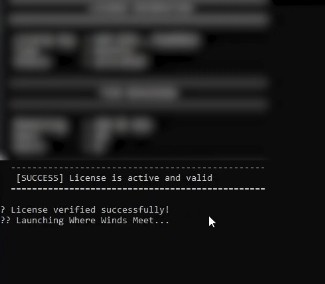
Loader will begin injection and display message "Launching Where Winds Meet..."
- Loader will inject the cheat at main menu only!
4
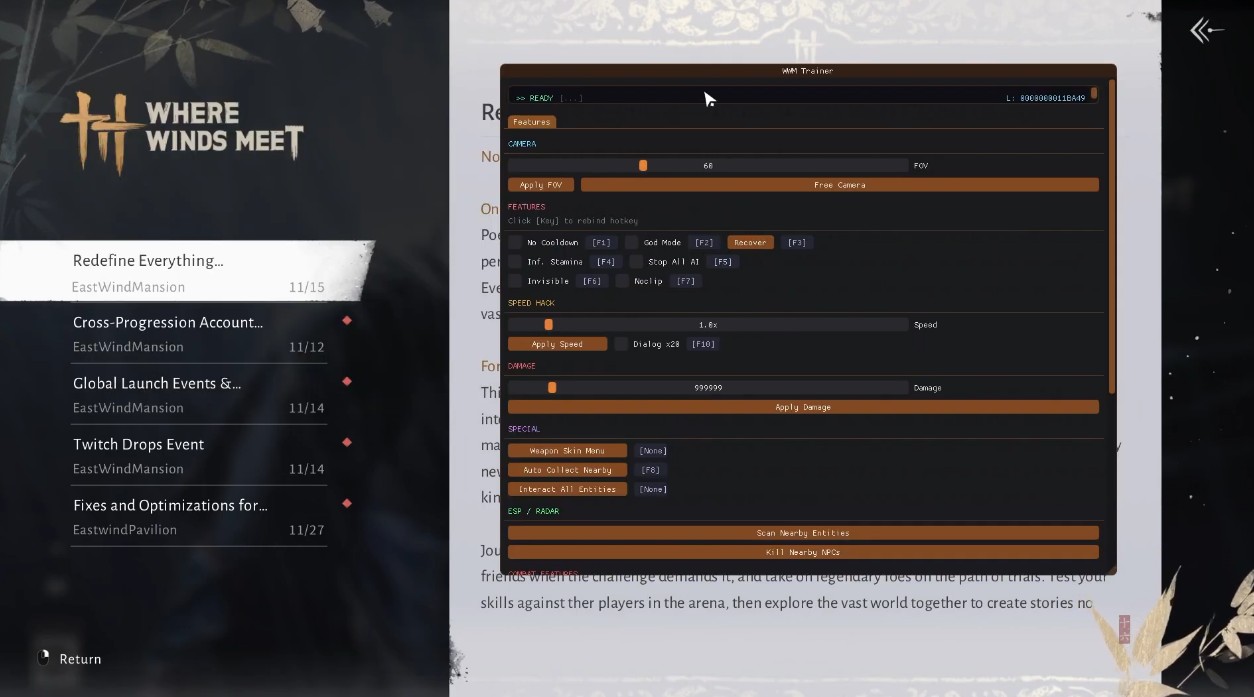
If everything is working correctly, you should be able to see the menu on your screen in the game's main menu.
Show or Hide the menu by pressing the INSERT key.
Frequently Asked Questions
Why I can't play the game in Fullscreen mode?
Gamepron works as an external cheat, meaning that you must run the game in Borderless mode.
What game resolution should I use?
For this Testing we will be running the game in Borderless mode and 1920×1080 resolution.
The cheat is not loading. How do I fix it?
When you open the loader, a small message will be shown, if you close this window, nothing else will work. This window must remain open for few seconds. Also, if you disable the crosshair/esp options given next, the cheat will be disabled ingame.
I am getting "failed to loader the driver" error. How do I fix it?
Please read and follow this article before using any cheat!